



The internet is filled with amazing content, but it’s also overflowing with something much less enjoyable — ads. Pop-ups, autoplaying videos, banner ads, sponsored overlays, tracking pixels — these are just a few of the ways ads disrupt your browsing experience. Thankfully, there’s a powerful solution to this growing problem: AdBlock.

In this comprehensive blog, we’ll take a deep dive into what AdBlock is, how it works, why it matters, and how you can use it to completely transform your internet experience.
🌐 What Is AdBlock?
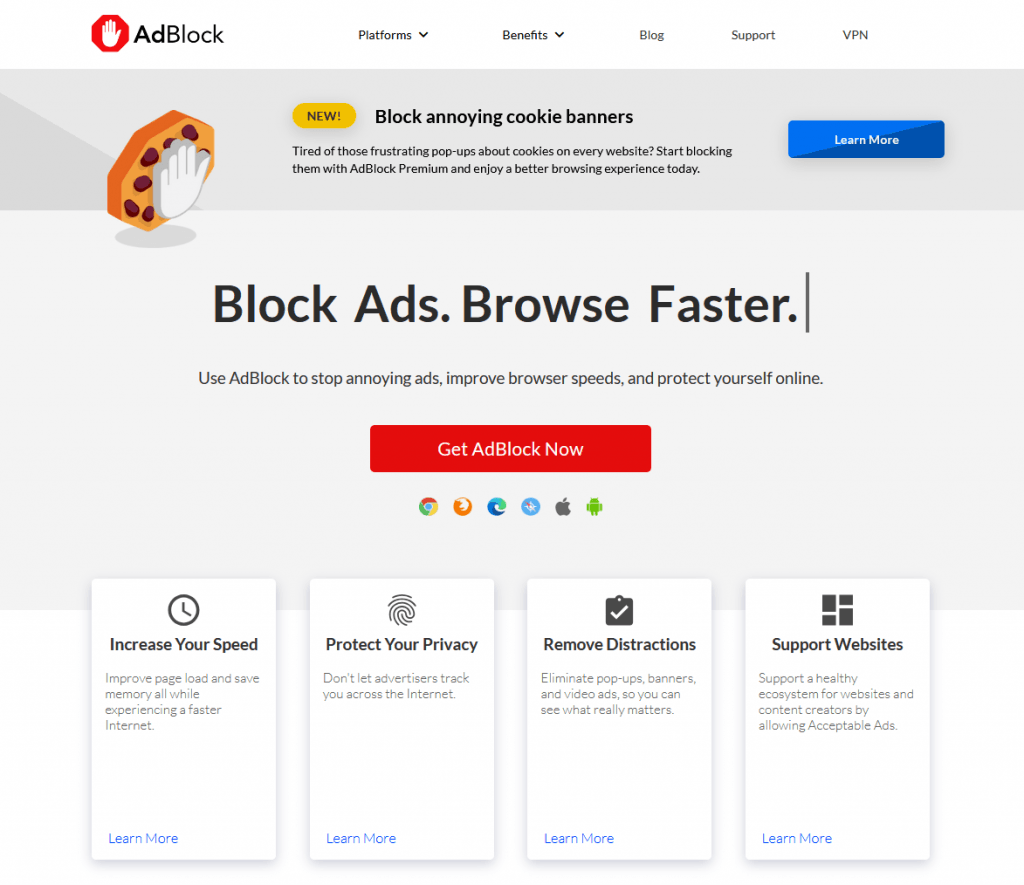
AdBlock is a browser extension (also called an add-on or plugin) that automatically removes online ads before they load. Once installed, AdBlock filters out ad content on websites, YouTube videos, search engines, social media platforms, and more.
Launched in 2009, AdBlock has since grown into one of the most trusted ad-blocking tools on the internet, with over 60 million users worldwide. It supports all major browsers, including:
- Google Chrome
- Mozilla Firefox
- Microsoft Edge
- Safari
- Opera
🛠️ How AdBlock Works
AdBlock uses a set of filter lists—rules that tell it which website elements to block. These lists include:
- Known ad servers and ad scripts
- Visual ad placements (e.g., banner locations)
- Tracking pixels and beacons
- Video ads and pre-rolls
When you load a webpage, AdBlock checks it against these rules and blocks any content that matches. As a result, you get a cleaner, faster, and safer browsing experience.
💡 Key Features of AdBlock
Let’s break down the most powerful features that make AdBlock a must-have browser tool:
✅ 1. Blocks All Types of Ads
- Pop-ups
- Flashy banner ads
- Sidebar and footer ads
- YouTube video ads
- Facebook & Instagram sponsored posts
- Autoplaying video ads on news sites
AdBlock helps remove the clutter so you can focus on the content that matters.
🚀 2. Speeds Up Web Pages
Ads are resource-heavy. They slow down websites, increase CPU usage, and consume your data. By blocking ads, AdBlock can reduce page load times by up to 40% and save up to 25% on bandwidth.
🔒 3. Improves Your Privacy
Many online ads include tracking codes that follow your activity across multiple websites. AdBlock blocks:
- Third-party cookies
- Tracking scripts
- Fingerprinting technologies
This helps you protect your personal data and online behavior from advertisers.
📺 4. Blocks YouTube Ads
Tired of waiting 5–30 seconds to skip YouTube ads? AdBlock can completely remove video ads from YouTube and other video platforms so you can watch without interruption.
🎯 5. Custom Filter Lists
Advanced users can add custom filters to block or allow specific elements or domains, offering total control over what appears on your screen.
💬 6. Whitelisting & Acceptable Ads
Want to support your favorite websites? You can easily whitelist specific sites or allow non-intrusive ads by turning on the “Acceptable Ads” option.
🔐 Is AdBlock Safe to Use?

Yes, AdBlock is 100% safe and trusted by millions globally. Here’s why:
- Its open-source, meaning its code is publicly available and constantly reviewed.
- It doesn’t sell your data or inject new ads.
- No malware, spyware, or viruses.
- It’s available only from official browser extension stores, where it’s vetted for security.
That said, always make sure to download it from the official site.
📥 How to Install AdBlock
Installing AdBlock is quick and easy:
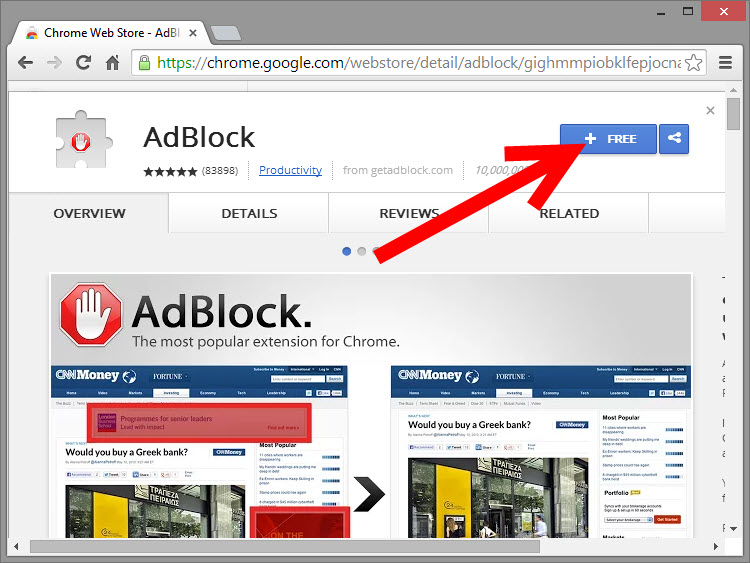
- Open your browser (e.g., Chrome, Firefox, Safari)
- Go to https://getadblock.com
- Click on the “Get AdBlock Now” button
- You’ll be redirected to your browser’s extension store
- Click “Add to Chrome” / “Add to Firefox” / “Install”
- Done! You’ll see the AdBlock icon in your browser toolbar
You can click the icon anytime to:
- Pause AdBlock
- Whitelist a site
- Access settings
- View blocked content stats
📊 Performance and Statistics
AdBlock keeps a running count of how many ads it has blocked for you. Most users are surprised to learn just how many ads are hidden in every browsing session.
Typical users block:
- 2,000+ ads per week
- 100,000+ ads per year
Imagine how much time, bandwidth, and mental energy that saves!
🧩 Alternatives to AdBlock
While AdBlock is one of the best, here are a few alternatives:
| Name | Key Feature | Platform |
| uBlock Origin | Lightweight, advanced filtering | Chrome, Firefox |
| AdGuard | Works system-wide (not just browser) | Windows, macOS, Android |
| 1Blocker | Optimized for Apple devices | iOS, macOS |
| Brave Browser | Built-in ad/tracker blocking | All platforms |
AdBlock remains a solid balance between simplicity, power, and customization.
⚠️ AdBlock Controversy: The Ethical Debate
Ad blockers have sparked debate in the digital world:

- Publishers argue that ad blockers reduce their revenue, threatening the sustainability of free content.
- Users argue they have a right to control what loads on their devices and how their data is used.
Many people choose a middle ground — blocking intrusive ads while allowing respectful ones. AdBlock supports this through the “Acceptable Ads” initiative, allowing non-intrusive ads by default (you can opt out at any time).
🎯 Who Should Use AdBlock?
- Students: Stay focused on study resources without pop-ups.
- Professionals: Browse quickly during work hours.
- Parents: Protect kids from inappropriate or misleading ads.
- Privacy-conscious users: Block trackers and stop being followed online.
In short, anyone who wants a cleaner, safer internet experience.
✅ Final Verdict: Is AdBlock Worth It?
Absolutely. AdBlock is:
- Easy to install
- Simple to use
- Free and safe
- Highly customizable
It’s one of the best tools available for improving your digital life. Whether you’re looking to browse faster, avoid distractions, stop video ads, or enhance your online privacy — AdBlock is a must-have extension